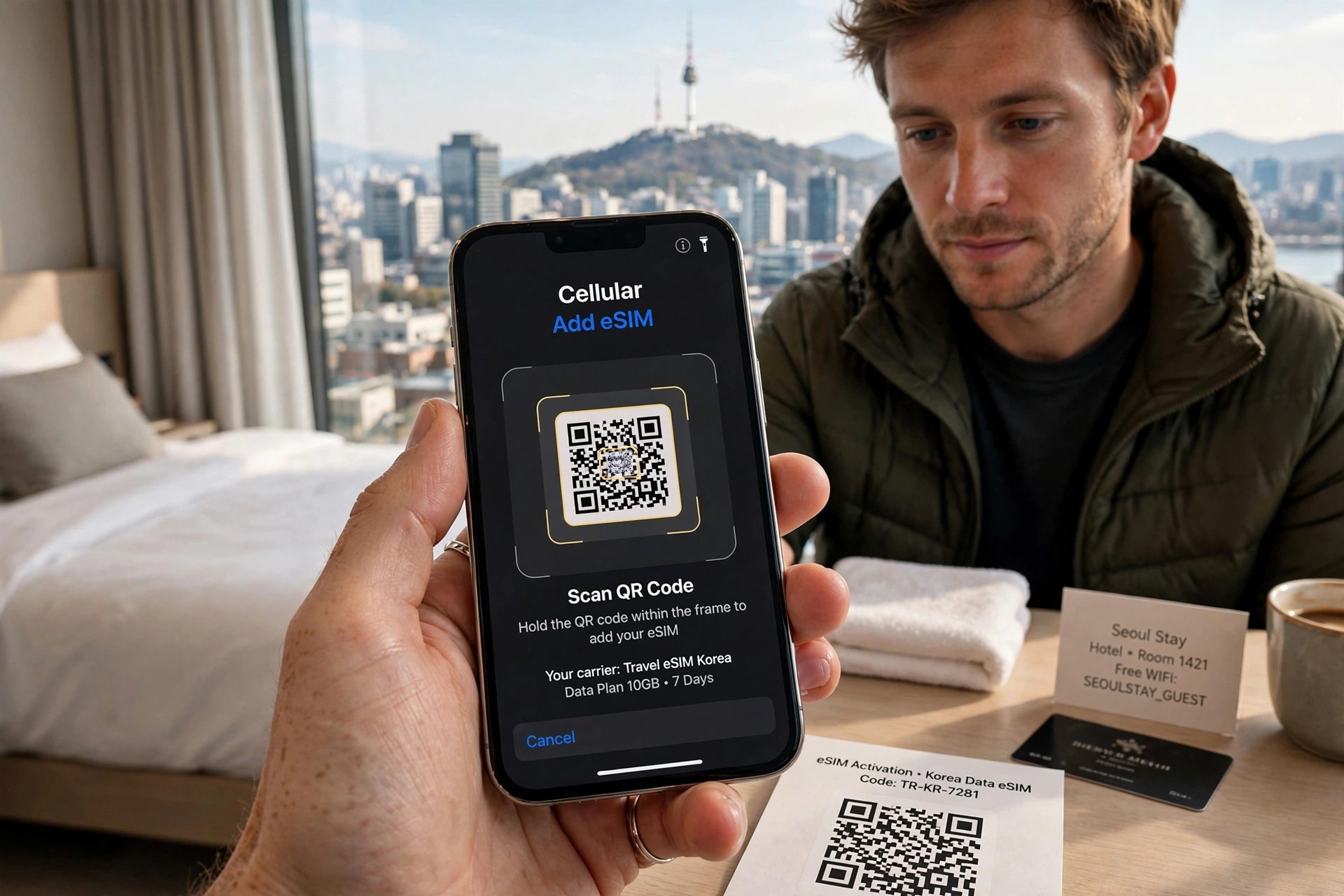
Incheon Airport - Best place to get SIM and Pocket WiFi for Seoul
Arrived in Seoul and your phone has no internet? In Korea, you have 3 choices: Physical USIM, eSIM, and Pocket WiFi. Choosing the wrong one can cost you $50 extra. This guide compares all options for foreign tourists.
1. What is USIM, eSIM, Pocket WiFi in Korea?
1) Physical USIM Card (Most Popular)
A small chip you insert into your phone. You get a Korean phone number (010-xxxx). Can make calls and use data. Works with any unlocked phone.
2) eSIM (No Chip Needed)
Digital SIM. You just scan a QR code. Best for iPhone XS or newer. You keep your home SIM and use dual SIM. No need to swap chips.
3) Pocket WiFi (WiFi Egg)
A small router you carry. Connects up to 5 devices (phone, laptop). No Korean number, only data. Best for families or groups.
2. Roaming vs Korea SIM vs Pocket WiFi - Pros and Cons
| Type | Price / Day | Pros | Cons |
|---|---|---|---|
| Home Roaming | $10-$15 | Easy, keep number | Very expensive, slow |
| Korea USIM | $3-$5 | Cheap, Korean number, fast 5G | Need unlocked phone |
| eSIM | $4-$6 | Instant QR, dual SIM | Only new phones |
| Pocket WiFi | $5-$7 | Share 5 devices, no install | Battery needs charging |
3. Where to Buy: Airport, Online, Convenience Store (Price Examples 2026)
1) Incheon Airport (ICN) - Best for Instant Use
Terminal 1 & 2 Arrival Hall, 24 hours. KT, SKT, LG U+ booths. Show passport.
- 5-day USIM unlimited data: 33,000 KRW (~$25)
- 10-day eSIM: 44,000 KRW (~$33)
- Pocket WiFi 5-day: 35,000 KRW (~$27)
2) Online Pre-order (Cheapest - 20% Discount)
Order on Klook, Trazy, or KT Roaming site 3 days before flight. Pick up at airport counter. Same product, cheaper.
3) Convenience Store (CU, GS25 in Seoul)
Only prepaid USIM for data (no calls). 15,000 KRW for 10GB / 30 days. Need passport. Good for long stay.
4. How to Install and Activate (Step-by-Step)
USIM:
1. Turn off phone -> Remove old SIM with pin -> Insert Korea USIM -> Turn on -> Data roaming ON -> Done (5G auto connects)
eSIM:
1. Connect airport WiFi -> iPhone: Settings -> Cellular -> Add eSIM -> Scan QR -> Turn on Data Roaming
Pocket WiFi:
1. Turn on egg -> Find WiFi name on egg sticker -> Password is on sticker -> Connect (like hotel WiFi)
5. Important Warnings for Tourists
2. Passport required: By law, you must show passport to buy SIM.
3. Return pocket WiFi: Must return at same airport booth. Late fee $10/day.
4. eSIM check: Go to Settings -> General -> About -> Check "Carrier Lock: No SIM restrictions"
🗼 3 Must-Know Korean Phrases for You
1. I have a reservation for a SIM card / pocket WiFi.
유심 / 포켓 와이파이 예약했어요.
Yusim / poket waipai yeyakhaesseoyo.
2. My phone is not connecting to the internet.
인터넷이 안 돼요. 확인 좀 해주세요.
Inteonesi an dwaeyo. Hwagin jom haejuseyo.
3. Where do I return the pocket WiFi?
포켓 와이파이 어디서 반납해요?
Poket waipai eodiseo bannaphaeyo?
https://minaleedaddy.tistory.com/19
First-Time Visitor's Guide to South Korea: 10 Tips From a Local Dad in Seoul
Photo: Pexels — Gyeongbokgung Palace, SeoulFirst-Time Visitor's Guide to South Korea: 10 Essential Things to KnowPlanning your first trip to South Korea? Seoul is a modern, convenient, safe, and welcoming city, but your first visit can be much easier whe
minaleedaddy.tistory.com